

MIMO Antennas: The Secret to Faster 4G, 5G, and Wi-Fi
In the world of wireless technology, you’ve probably seen the term MIMO on router boxes, antenna spec sheets, and phone ads.
But what does it actually mean? And more importantly, do you need it? Here is everything you need to know about MIMO in plain English.
What is MIMO?
MIMO stands for Multiple Input, Multiple Output.
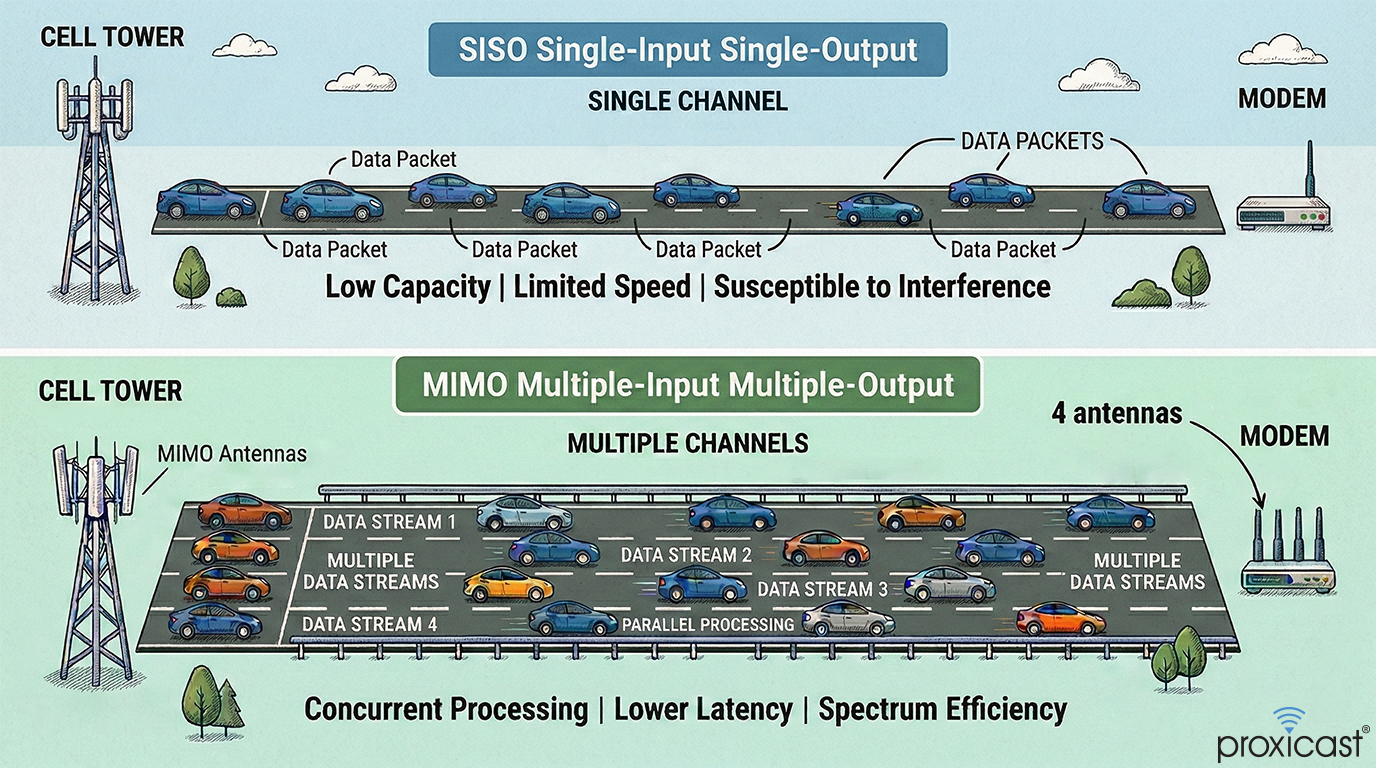
In the early days of wireless data, a modem and cell tower communicated using one antenna each. Think of this like a single-lane road. Only one "car" (data packet) can go through at a time. If you have a lot of data, a traffic jam forms and things slow down.
MIMO turns that single-lane road into a multi-lane highway. By using multiple antennas at the same time, the system can send and receive more data simultaneously.
MIMO significantly increases the amount of data that can be handled at once.
Do I Need It? Why?
The short answer is yes. Almost every modern device relies on MIMO.
- Speed: More "lanes" means your movies download faster and your games have less lag.
- Stability: In a house with walls and furniture, radio signals bounce around. This is called "multipath." MIMO uses these bounces to its advantage, combining the signals to create a stronger, clearer connection.
- Reliability: If one signal path is blocked by a wall or a tree, the other antennas can often still "see" the signal. This is called "Antenna Diversity."
- Capacity: MIMO helps maintain high speeds even when many people are using the same cell tower or router
- Modern Standards: 4G LTE, 5G, and modern Wi-Fi (Wi-Fi 5, 6, and 7) are designed to work with MIMO. Without a MIMO antenna, you are essentially "choking" your high-speed modem.
How Does MIMO Relate to Antenna Boosters?
A common misconception is that a Signal Booster (or amplifier or repeater) does the same thing as a MIMO Antenna. They work differently:
- Boosters: These take a weak signal and make it louder via an electrically powered amplifier. However, most consumer boosters are "SISO" (single lane). If you plug a single-lane booster into a 4G/5G modem, you might get a "stronger" signal, but your actual data speed might drop because you've lost the extra lanes provided by MIMO.
- MIMO Antennas: These don't "boost" the power with electricity. Instead, they provide high-quality, multi-lane paths directly to your modem and potentially focus the signal.
Is 4x4 MIMO Better Than 2x2?
You will often see these numbers:
- 2x2 MIMO: Uses 2 antennas to create 2 data streams.
- 4x4 MIMO: Uses 4 antennas to create 4 data streams.
Does Adding More Antennas Always Mean More Speed?
Not necessarily. There is a "Law of Diminishing Returns." Adding more antennas only helps if:
- The Signal is Clean: If there is too much interference (noise), adding antennas won't help.
- The Hardware Supports It: You can't turn a 2-port modem into a 4-port modem just by using a splitter.
- The Tower Supports It: The tower must be able to talk back using the same number of streams.
- There are no External Limitations: If your cell tower is congested (too many people using it) or your data plan is throttled, adding 100 antennas won't make your connection any faster.
Antennas improve the quality and capacity of the link between you and the tower, but they can't fix problems on the provider's end.
Do All Cell Towers Support MIMO?
Almost all modern 4G LTE and 5G towers support at least 2x2 MIMO. In urban areas and "mid-band" 5G zones, 4x4 MIMO is becoming the standard. However, in very remote rural areas, older towers might only support single-channel (SISO) connections.
Can I Connect 2 Different Radios to 1 MIMO Antenna?
No. This is a common mistake.
A MIMO antenna with multiple leads (cables) is designed to be plugged into the multiple ports of a single device.
- Wrong: Plugging Lead 1 into a Verizon hotspot and Lead 2 into an AT&T hotspot. This will cause interference and potentially damage your hardware.
- Right: Plugging all leads into the "Antenna 1, 2, 3, 4" ports on your 5G router.
One Radome vs. Multiple Separate Antennas
Should you buy one "all-in-one" antenna (where all the elements are inside one plastic housing) or two/four separate antennas? It depends on your requirements, budget and installation considerations.
| Feature | All-in-One (Integrated) | Multiple Separate Antennas |
|---|---|---|
| Installation | Easy (One mount) | Difficult (Multiple mounts) |
| Appearance | Clean & Low Profile | Industrial / Complex |
| Performance | Optimized by Factory | Can be spaced for "Sweet Spots" |
| Cost | Typically less than multiple antennas | Very expensive for 4x4 MIMO |
How to Position Multiple Separate Antennas
If you decide to use separate antennas to create a MIMO array, positioning is everything. To make MIMO work, the antennas need "Diversity."
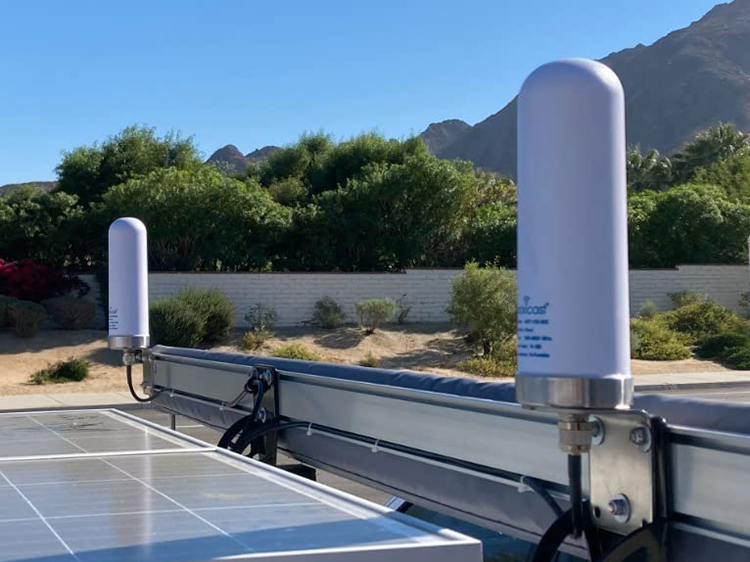
For Omni-Directional Antennas:
Moving the antennas away from each other helps the modem distinguish between the different signals by exploiting Spatial Diversity.
Use identical antennas and mount them at the same vertical height.
|
|
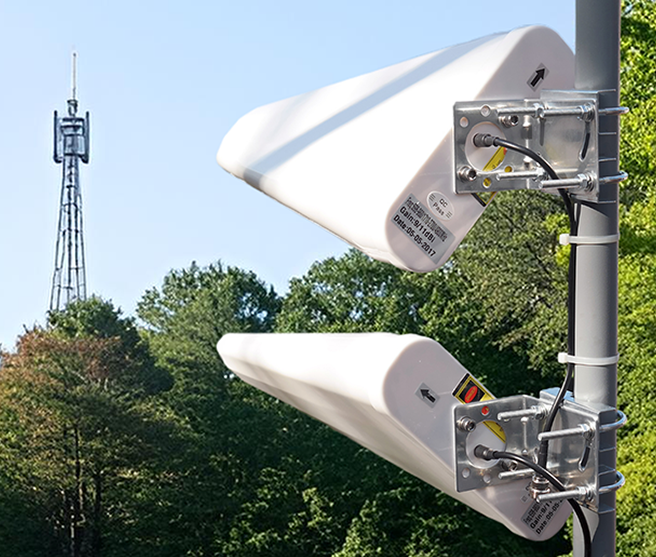
For Directional (Yagi/Panel) Antennas:
For MIMO to work best with directional antennas, you should use cross-polarization (Polarization Diversity).
| 
|
Key Takeways
| Feature | Single Antenna (SISO) | MIMO Antenna |
|---|---|---|
| Analogy | One-lane road | Multi-lane highway |
| Speed | Standard | Much Faster |
| Reliability | Prone to interference | Stable in "noisy" environments |
| Installation | Simple installation | Spacing / Orientation are critical |
Summary Checklist
- Check your device: Does it have 2 antenna ports (2x2) or 4 (4x4)?
- Choose your antenna: An all-in-one MIMO antenna is usually the easiest path to success.
- Cables matter: Use high-quality, low-loss cables (like CFD400) to ensure the "lanes" stay clear.
- Aim for the tower: Use tools like CellMapper to find your nearest tower and point directional antennas toward it.
MIMO is the engine that drives modern high-speed wireless. By using multiple antennas, you aren't just catching more signal—you're opening up more lanes for your data to travel.